> For the complete documentation index, see [llms.txt](https://guides.regen.network/llms.txt). Markdown versions of documentation pages are available by appending `.md` to page URLs; this page is available as [Markdown](https://guides.regen.network/guides/regen-marketplace-buyers-guides/ecocredits/buy-ecocredits/buy-with-credit-card.md).
# Buy with Credit Card
### **Step 1 - Choose a Project**
Select a project you’re interested in and click the **“Buy Ecocredits”** button.
> Note: Not all projects offer credits for purchase via credit card.
### **Step 2 - Select the Amount**
If purchasing with a credit card, choose either:
* The number of ecocredits you’d like to buy
* The USD amount you wish to spend
Then, click **Next**.
### **Step 3 - Enter Your Customer and Payment Information**
* Enter your **name** (this will appear on your retirement certificate and as your account name if you choose to create one).
* Provide your **email address** to receive a receipt and access your order details in the future.
* Account creation is optional but recommended for easy access to your purchases.
* Enter your **credit card details** securely. *(All payment information is processed and stored securely by* [*Stripe*](https://stripe.com/)*, our payment provider.)*
* If you already have an account, please log in!
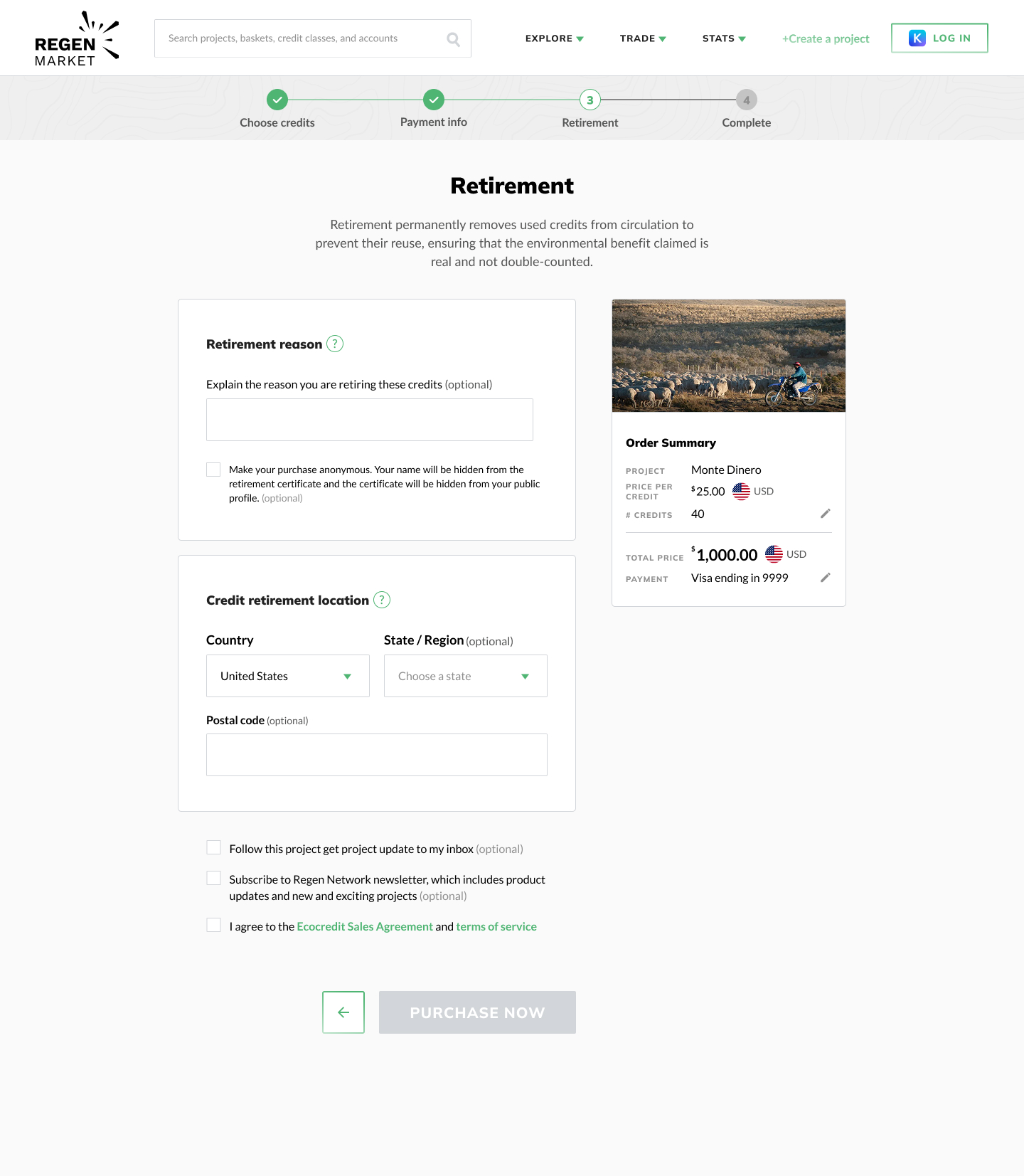
### **Step 4 - Retirement Details**
To retire your credits and ensure they are permanently removed from circulation (preventing double-counting), provide:
* At minimum, the **country of retirement**
* (Optional) A **retirement reason**, such as:
* *“On behalf of XYZ Organization”*
* *“For my 2025 travel carbon offset”*
### **Step 5 - Completion**
Once your purchase is successful, you will:
✅ See your **retirement certificate** on-screen
✅ Receive a **purchase confirmation email**
Thank you for contributing to ecological regeneration! 🌱